Key takeaways
- Compare the best types of gaming computers, from prebuilt and custom desktops to laptops, small form factor PCs, and handhelds, and find your fit.
Ask ten players what the best type of gaming computer is, and you will likely hear ten different answers. One person swears by a large desktop tower with room for every future upgrade. Another would not trade a slim gaming laptop that travels between home, school, and work. Someone else prefers a handheld device that turns a train ride or a quiet evening on the couch into game time. None of them is entirely wrong, because the word best means something different depending on where you play, what you play, and how much you enjoy tinkering with hardware.
This guide explains the main types of gaming computers in plain language, without pushing a single winner. It walks through prebuilt desktops, custom-built desktops, gaming laptops, small form factor systems, and handheld gaming PCs, along with a few related options that sometimes get overlooked. For each type, you will find who it suits, who might want to skip it, and the everyday trade-offs that matter more than marketing labels. By the end, you should be able to match a type to your space, your games, your habits, and your patience for setup and maintenance.
As an Amazon Associate, we earn from qualifying purchases.
What Makes a Computer a Gaming Computer?
A gaming computer is, at its core, an ordinary computer built or configured with games in mind. The difference lies in priorities. A typical office machine is designed for documents, email, web browsing, and video calls, so it can get by with modest graphics hardware. A gaming computer puts much more emphasis on the graphics processor, which renders the worlds, characters, and effects you see on screen. It also tends to include a capable central processor, enough memory for modern games and background apps, and fast storage so levels and textures load without long pauses.
Cooling matters more in a gaming computer as well. Games push hardware harder and for longer stretches than most everyday tasks, and hard-working parts produce heat. Good airflow, sensible fan placement, and a case or chassis that can move warm air out help the system stay stable and reasonably quiet during long sessions. Power delivery matters too, because stronger graphics hardware draws more electricity than basic integrated graphics.
Beyond the parts themselves, a gaming computer is also about the experience around the machine. Players often care about the display it drives, the keyboard and mouse or controller they use, and whether the system can grow over time. Some types make upgrading simple, while others are essentially fixed on the day you buy them. Understanding those differences is the real key to choosing well, because two computers with similar headline specifications can feel very different to live with.
Prebuilt Desktop Computers
A prebuilt desktop is a complete tower assembled by a manufacturer or retailer and sold ready to use. You unbox it, connect a monitor, keyboard, and mouse, sign in, install your games, and start playing. For many people, that simplicity is the entire appeal. There is no parts list to research, no cables to route, and no moment of worry about whether two components are compatible.
Prebuilt desktops suit first-time gaming computer owners, busy players who would rather spend their free time playing than building, and anyone who values having a single warranty and a single point of support if something goes wrong. If a problem appears, you contact one company instead of trying to work out which individual part is responsible.
The trade-offs are mostly about control and flexibility. You choose from the configurations a seller offers rather than picking every part yourself, so you may accept a component you would not have chosen in order to get the graphics hardware you want. Some prebuilts use standard parts that are easy to replace or upgrade later, while others use compact or proprietary designs that limit your options. It is worth checking, in general terms, whether the case has room for additional storage and whether the power supply leaves headroom for a future graphics upgrade.
Desktops in general offer a comfortable desk experience. They connect easily to large monitors, they keep heat and fan noise in a tower rather than right next to your hands, and they make it simple to add storage as your game library grows. A prebuilt is the most straightforward way to get all of that, and for a player who wants a dedicated gaming spot at home, it is often the most sensible starting point.
Custom-Built Desktop Computers
A custom-built desktop follows the same basic idea as a prebuilt, but you, or a builder working from your list, choose every component. The case, processor, graphics card, memory, storage, cooling, and power supply are all selected individually and assembled into one machine. This route offers the most control over the finished computer and the clearest upgrade path over time.
Custom builds suit players who enjoy learning how computers fit together, who have specific priorities such as quiet operation or a particular case style, or who plan to upgrade gradually rather than replace the whole system. If your processor and platform still feel capable in a few years, you might replace only the graphics card. If you run low on space, you add another drive. That ability to improve one part at a time is the custom desktop’s strongest long-term advantage.
The costs of that freedom are time and responsibility. Researching compatibility takes effort, assembly takes care, and troubleshooting is your job if a first build does not start as expected. None of this is unusually difficult, and many people find the process genuinely enjoyable, but it is not instant. A custom build also spreads your warranty across many individual parts instead of one system warranty, which some owners like and others find inconvenient.
Gaming Laptops
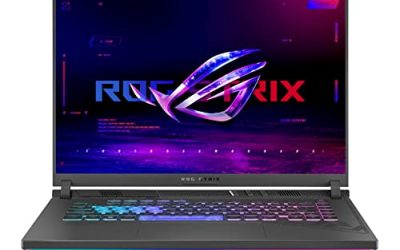
A gaming laptop folds the entire setup into one portable package: screen, keyboard, processor, graphics hardware, battery, and speakers in a single device you can carry in a backpack. Close the lid at your desk, open it at a friend’s house, a dorm room, a hotel, or a quiet corner of a library, and your library of games comes with you. For players without a permanent desk, that flexibility can matter more than any other feature.
Gaming laptops suit students, frequent travelers, people who share living space, and anyone who wants one computer for both everyday work and play. They are also a tidy option for a living room, where a laptop can connect to a television for bigger-screen sessions and then be put away afterward. Many owners add a separate mouse, and sometimes an external keyboard and monitor at a main desk, which gives a laptop a surprisingly desktop-like feel when it is parked in one place.
The compromises follow from the compact design. Cramming powerful parts into a thin chassis makes cooling harder, so gaming laptops tend to run warmer and louder under load than a roomy desktop, and their performance is shaped by how much power and cooling the design can sustain. Upgrades are limited: on many models you can add memory or storage, but the processor and graphics hardware are fixed for the life of the machine. Battery life also deserves realistic expectations. A gaming laptop is portable, but demanding games draw a lot of power, so long play sessions usually happen near an outlet, with the battery serving shorter and lighter use.
In return, you get the simplest possible setup and genuine mobility. If your life does not revolve around one desk, or if you need a single machine that handles classes, office work, creative projects, and games, a gaming laptop is often the most practical type, even if a desktop could offer more upgrade room for a similar role.
Small Form Factor Gaming PCs
Small form factor systems pack desktop-style gaming into a compact case, sometimes not much larger than a game console or a thick book. They are still desktops at heart, built around a small motherboard format and careful component choices, but the goal is different: save space, reduce clutter, and blend into a room instead of dominating it.
This type suits players with small desks, shared rooms, minimalist setups, and living-room gaming, where a full tower would look and feel out of place. A compact PC can sit beside a television, tuck under a monitor, or travel between rooms far more easily than a large tower. For apartment living, that smaller footprint can be the deciding factor.
Building or buying small takes more planning. Space inside the case is limited, so component size, cable routing, and airflow all need attention. Heat has fewer places to go, which means cooling design matters a great deal, and some compact cases accept only shorter graphics cards or smaller power supplies. Upgrading is usually possible, but it can be fiddlier than opening a spacious tower, and certain parts may have fewer options that physically fit.
None of that makes small form factor a lesser choice. It makes it a deliberate one. Players who value a clean, space-saving setup and are willing to accept tighter upgrade constraints often find a compact system to be the most livable type of all. The key question is honest: do you want maximum room to grow, or a machine that disappears into your room until the moment you play?
Handheld Gaming PCs
Handheld gaming PCs are the newest mainstream type. They combine a small screen, built-in controls, and computer hardware in a device you hold in both hands, closer in spirit to a portable console than to a traditional PC. They run computer games rather than console exclusives, so an existing library of PC games can travel with you on a commute, a flight, or the couch while someone else uses the television.
Handhelds suit players who value convenience above all, who play in short sessions, or who want a second, more casual machine alongside a main desktop or laptop. They are excellent for indie games, older titles, platformers, turn-based games, and many role-playing games, where a modest screen and built-in controls feel natural. They can also stream games from a more powerful computer in the home, which stretches what the small device can handle.
Expectations should match the format. A handheld cannot match the sustained performance, screen size, or cooling of a full desktop, and very demanding modern games may need reduced settings to run comfortably. Battery life varies with how hard a game pushes the hardware, and storage can fill quickly with large installations, though many devices accept expandable storage. Text-heavy games designed for a large monitor can feel cramped, and long sessions with a keyboard-and-mouse title are rarely a handheld’s strength.
Within those limits, handhelds offer something no other type can: gaming that fits into the leftover minutes and corners of a day. If you already own a capable PC library and often wish you could play away from your desk, a handheld may be the most enjoyable type for you, even if it would not be your only computer.
Other Types Worth Knowing About
A few related options sit at the edges of the main categories. All-in-one computers place the hardware inside the same unit as the display, which looks clean and saves space. Most all-in-ones are designed for everyday work rather than demanding games, and upgrades are very limited, so they usually suit light and older games rather than a serious gaming setup. Mini PCs are tiny desktops meant mainly for office tasks, media, and light play; capable models can handle less demanding games pleasantly, but they are not a substitute for a purpose-built gaming desktop.
How to Choose the Right Type for You
Start with place, not parts. Where will you actually play? A permanent desk with room for a tower points toward a desktop, prebuilt or custom. A small or shared space points toward a compact system or a laptop. A life split between locations points toward a laptop or a handheld. Choosing a type that fits your room and routine prevents the most common mistake: buying impressive hardware that is awkward to live with.
Next, consider your games. Demanding modern titles with large, detailed worlds reward a desktop or a strong gaming laptop with dedicated graphics hardware. A library built around indie games, classics, strategy titles, and competitive games with modest demands can thrive on far more types, including small systems and handhelds. Be honest about the games you play most weeks, not the one demanding release you might try once.
Then think about upgrades and lifespan. If you like the idea of improving your computer step by step, a desktop with standard parts is the natural fit, and a custom build gives you the most say in that future. If you prefer to buy a finished device, use it for years, and replace it whole when it feels old, a laptop, handheld, or prebuilt matches that habit better. Neither approach is smarter; they simply suit different temperaments.
Setup effort is another honest filter. Prebuilt desktops and laptops ask the least of you. Custom builds ask the most, and small form factor builds ask for extra care with fit and cooling. Support matters as well: a single system warranty is simpler than tracking warranties for many separate parts. Noise and heat deserve a thought, too, especially in bedrooms and shared rooms, where a loud machine under load can bother other people.
Frequently Asked Questions
Is a desktop or a laptop better for gaming?
Neither is better for everyone. A desktop generally offers more cooling room, easier upgrades, and a more comfortable long-term desk setup, while a laptop offers portability and an all-in-one package that works anywhere. Players with a fixed gaming spot usually prefer desktops, and players who move around or lack a permanent desk usually prefer laptops. Your space and routine should decide, not a general ranking.
Can a handheld gaming PC replace a regular gaming computer?
For some players, yes, especially those who mainly enjoy indie games, older titles, and less demanding releases, or who stream games from another machine. For players who want the most demanding modern games at high settings on a large display, a handheld works better as a companion than a full replacement. Think of it as the most portable type, with the trade-offs that portability always brings.
Is building a custom gaming computer difficult?
Building a custom computer is a learnable project rather than an expert-only skill, but it does require patience, research, and care with small parts and cables. Many first-time builders enjoy it and value the control it gives them. If the process sounds stressful rather than fun, a prebuilt desktop or a professionally assembled custom machine delivers a similar result without doing the assembly yourself. The right choice is the one you will actually finish and enjoy using.
How long should a gaming computer last before it needs replacing or upgrading?
A gaming computer can remain enjoyable for years, especially if you adjust in-game settings as new releases grow more demanding. Desktops with standard parts can extend their useful life with a single upgrade, such as more storage, more memory, or a newer graphics card. Laptops and handhelds are usually replaced as whole devices when they no longer run the games you care about. Longevity depends less on the calendar and more on whether the machine still plays your favorite games in a way you enjoy.
Conclusion
There is no single best type of gaming computer, and that is good news. Prebuilt desktops offer the easiest path to a dedicated gaming desk. Custom builds offer control, character, and the clearest upgrade future. Gaming laptops trade some upgrade room for genuine portability and an all-in-one setup. Small form factor systems prove that a gaming PC does not need to be large to be capable or welcome in a shared room. Handheld gaming PCs turn an existing library into something you can play almost anywhere.
The right choice comes from matching the type to your life: your space, your games, your tolerance for setup, and how you feel about upgrading over time. Start with those honest answers, and the hardware decision mostly makes itself. Whichever type you choose, a computer that fits your routine will be played more, enjoyed more, and kept longer than a technically stronger machine that never quite fits your day. That, more than any specification, is what makes a gaming computer the best one for you.