Our Short List of 3

- Best for: Families who print every week and want ink refills to be a rare, quick job.
- All-in-one inkjet: print, copy, scan
- Cartridge-free refillable EcoTank ink tanks
- Wi-Fi and USB connectivity, voice-activated printing
- Maximum print resolution 5760 x 1440 dpi

- Best for: Home offices and students printing lots of black text documents.
- Monochrome laser printer, print only
- Print speed up to 36 ppm
- Automatic duplex (two-sided) printing
- 250-sheet paper tray

- Best for: Families printing photos, cards, and school projects as well as documents.
- Color inkjet all-in-one: print, copy, scan
- Print speed 15 ppm black, 10 ppm color
- Automatic two-sided printing
- 2.7-inch touchscreen control panel
All 3 Picks at a Glance
| Product | Specs | Action |
|---|---|---|
| Epson EcoTank ET-2800 |
| Check price on Amazon |
| Brother HL-L2460DW |
| Check price on Amazon |
| Canon PIXMA TS7720 |
| Check price on Amazon |
Key takeaways
- Compare four home printers from Epson, Brother, Canon and HP, with tank, laser and cartridge inkjet picks for documents, photos and schoolwork at home.
Buying a printer for home use is really a decision about ink. The machine itself is the easy part; what you live with for years is how it takes ink, how often a cartridge or tank runs dry in the middle of a school project, and whether it wakes up and prints after sitting idle for three weeks. A household that prints shipping labels and homework needs something very different from one printing photographs every weekend.
This roundup is for families sharing one machine, home workers printing documents most days, and parents tired of last-minute trips to a copy shop. Every pick below was chosen from its Amazon listing name and specification table, covering three ink systems — refillable tanks, toner, and cartridges — so the running-cost trade-offs are visible before you commit to any of them.
Quick Picks
As an Amazon Associate we earn from qualifying purchases
| Product | Best for | Key spec from title |
|---|---|---|
| Epson EcoTank ET-2800 | Households that print often and hate cartridges | Refillable ink tanks, Wi-Fi |
| Brother HL-L2460DW | Text documents in volume, black only | Up to 36 ppm, auto duplex |
| Canon PIXMA TS7720 | Photos plus everyday family printing | Auto duplex, 2.7-inch touchscreen |
| HP Envy 6155e | Light, mixed home printing | 100-sheet tray, auto duplex |
How to Choose
Decide the ink system before the brand
The ink system shapes your costs and habits more than any other choice. Refillable tank models like the EcoTank carry a lot of ink in the box and sip from bottles, which suits steady printing. Laser toner handles long idle gaps gracefully and prints text sharply, but only in black on a monochrome model. Cartridge inkjets cost less attention upfront yet need fresh cartridges more often, and a color cartridge can block printing when one chamber empties. Match the system to your monthly page count first, then compare brands inside that system.
Count the functions your household actually uses
Most home printers print, scan, and copy in one body, and that flatbed scanner quietly becomes the tool for archiving school forms, ID documents, and children’s artwork. A print-only laser makes sense when documents arrive as files and leave as paper, nothing more. Think about the last ten times you wished for a printer at home: if three of them involved scanning a signed page or copying a worksheet, an all-in-one is the right shape. If every job was a straightforward document, a single-function machine is simpler and usually faster.
Check paper handling and two-sided printing
Paper capacity decides how often you stand there refilling a tray. A 100-sheet tray is fine for a few pages a week; a 250-sheet tray suits a home worker printing contracts or coursework in batches. Automatic two-sided printing, called duplex in the listings, halves paper use on long documents and removes the shuffle of reinserting pages by hand. Also check the largest paper size and whether the rear or front feed handles envelopes and photo paper, because households print awkward media more often than they expect.
Confirm the connection matches your devices
Nearly every home printer here connects over Wi-Fi and USB, but the details matter. Dual-band wireless holds a steadier link in busy homes where the router sits far from the desk. Phones and tablets print through each maker’s app or built-in mobile printing support, so confirm your household’s devices appear in the listing’s compatibility notes. A printer that only one laptop can reach will frustrate everyone else. If your router lives beside the desk, an Ethernet port on some models gives a fixed, always-on connection that never needs re-pairing.
The 4 Best Options
Epson EcoTank ET-2800
- Best for: Families who print every week and want ink refills to be a rare, quick job.
- All-in-one inkjet: print, copy, scan
- Cartridge-free refillable EcoTank ink tanks
- Wi-Fi and USB connectivity, voice-activated printing
- Maximum print resolution 5760 x 1440 dpi
Families who print every week and want ink refills to be a rare, quick job.
Color speed is modest, so large photo batches take patience; confirm the listing’s ink bottle type (522) before ordering refills.
The Epson EcoTank ET-2800 removes the cartridge routine entirely: four refillable tanks take bottled ink, and the listing pitches it as a basic home printer with scan and copy built in. It suits households that print steadily — homework, forms, the occasional photo — and would rather top up a tank a few times a year than swap cartridges every few weeks. Wireless and voice-activated printing cover phones and laptops around the house, while the compact body and small color display keep daily operation simple for younger users sharing the machine.
Brother HL-L2460DW
- Best for: Home offices and students printing lots of black text documents.
- Monochrome laser printer, print only
- Print speed up to 36 ppm
- Automatic duplex (two-sided) printing
- 250-sheet paper tray
Home offices and students printing lots of black text documents.
No color, no scanner, no copier — households needing any of those should pick an all-in-one instead.
The Brother HL-L2460DW is the document specialist of this group: a monochrome laser that prints only in black, at up to 36 pages per minute, with automatic two-sided output. It fits home workers, students, and anyone whose printing is letters, invoices, essays, and forms rather than pictures. Toner does not dry out between jobs, so the machine tolerates irregular use well, and the 250-sheet tray means paper refills are occasional. Dual-band wireless, Ethernet, and USB give it the widest connection choice here, and mobile printing runs through the Brother app.
Canon PIXMA TS7720
- Best for: Families printing photos, cards, and school projects as well as documents.
- Color inkjet all-in-one: print, copy, scan
- Print speed 15 ppm black, 10 ppm color
- Automatic two-sided printing
- 2.7-inch touchscreen control panel
Families printing photos, cards, and school projects as well as documents.
A two-cartridge system means one empty color chamber can pause color work; heavy photo users should watch cartridge pace.
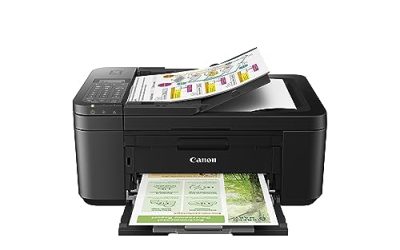
The Canon PIXMA TS7720 is the photo-leaning all-in-one here, built for homes that print pictures alongside documents. Its listing highlights automatic two-sided printing, a 2.7-inch touchscreen for walk-up copying and scanning, and speeds of 15 pages per minute in black and 10 in color. Borderless photo printing and support for varied media, from envelopes to banners, make it the most versatile paper handler of the four. It runs on two cartridges, one black and one color, which keeps the purchase simple even if heavy photo printing works through ink faster.
HP Envy 6155e
The HP Envy 6155e is the straightforward cartridge all-in-one for lighter, mixed home printing: documents one day, a scanned form the next, a color page for a school project after that. The listing describes color printing, scanning, and copying with automatic two-sided output and a 100-sheet tray, in a compact body finished in Portobello. Setup black and tri-color cartridges are included in the box, so it prints the day it arrives. It is the natural pick for households whose printing is occasional but varied, and who value simple controls over raw speed.
Specs
- Color inkjet all-in-one: print, scan, copy
- Automatic duplex (two-sided) printing
- 100-sheet paper capacity
- Wireless connectivity, mobile printing
- Includes HP 68 setup black and tri-color cartridges
- AI-enabled per listing title
- Model 714L5A, Portobello finish
Best for: Occasional, varied home printing in a compact footprint.
Watch out for: The listing ties this e-series model to HP account and ink program prompts during setup; read the setup notes on the product page before buying.
ASIN: B0D7JS7S2P
Which One Fits Your Situation
A busy family printer in the hallway
Choose the EcoTank ET-2800. Shared family printing means unpredictable bursts — homework at night, forms on weekends — and refillable tanks absorb that pattern without a cartridge running dry mid-job. Scanning and copying cover the paperwork schools send home, and wireless access lets every laptop and phone in the house reach it without moving the machine.
A home worker printing documents daily
Choose the Brother HL-L2460DW. If your output is contracts, reports, and letters, the laser’s 36 ppm pace, big tray, and two-sided printing remove the waiting and refilling that slow a workday. Toner also copes with quiet weeks without drying, so the first page after a holiday prints as cleanly as the last one before it.
Photos, cards, and creative projects
Choose the Canon PIXMA TS7720. The touchscreen makes copying and scanning from the machine itself easy for the whole family, borderless output suits photographs and cards, and the faster color speed helps when a project needs twenty color pages at once. It is the pick when color quality and media variety matter more than bulk document speed.
A small apartment with occasional printing
Choose the HP Envy 6155e. When printing is a few pages a week — a return label, a boarding pass, a scanned signature — a compact all-in-one with cartridges included in the box is the least demanding route. It covers print, scan, and copy in one small footprint and asks little shelf space in return.
Common Mistakes
- Buying a print-only machine, then discovering the household needs scanning and copying for school and paperwork tasks.
- Choosing cartridges for heavy monthly printing, so ink changes become a weekly errand instead of a rare one.
- Ignoring two-sided printing and then reinserting pages by hand for every long document.
- Placing a Wi-Fi-only printer far from the router and blaming the machine for dropped connections.
- Forgetting to check which cartridge or bottle code the listing specifies, then ordering the wrong refill.
Frequently Asked Questions
Is a tank printer or a cartridge printer better for a home?
It depends on volume. Tank models like the EcoTank suit steady printing because bottled refills are infrequent and the tanks arrive full. Cartridge models suit lighter use, where the machine may sit for weeks and total pages stay low. Count your typical monthly pages honestly, then pick the system that matches that rhythm rather than the rare busy week.
Can a monochrome laser handle a family’s printing?
Only if the family’s printing is genuinely all text. The Brother here cannot print a color school project, a photograph, or a colorful worksheet, and it cannot scan or copy. Households with children usually need color at least occasionally, which makes an inkjet all-in-one the safer single machine. A mono laser works best as a document specialist beside, or instead of, color printing you truly never use.
Do these printers work with phones and tablets?
Yes, each listing describes wireless printing, and the makers support phone and tablet printing through their apps or standard mobile print services. The Brother adds its Mobile Connect app, and the Epson listing mentions voice-activated printing. Before ordering, confirm your exact phone model appears in the compatibility notes on the product page, since older devices occasionally fall outside app support.
What should I check before the printer arrives?
Measure the desk or shelf space, including room to open the scanner lid and load paper. Check which refill code the listing names — Epson 522 bottles, Brother TN-830 toner, Canon PG-285 and CL-286, HP 68 — so the first refill order is right. Finally, confirm your Wi-Fi band and password are handy, because setup on every model here starts with joining the home network.